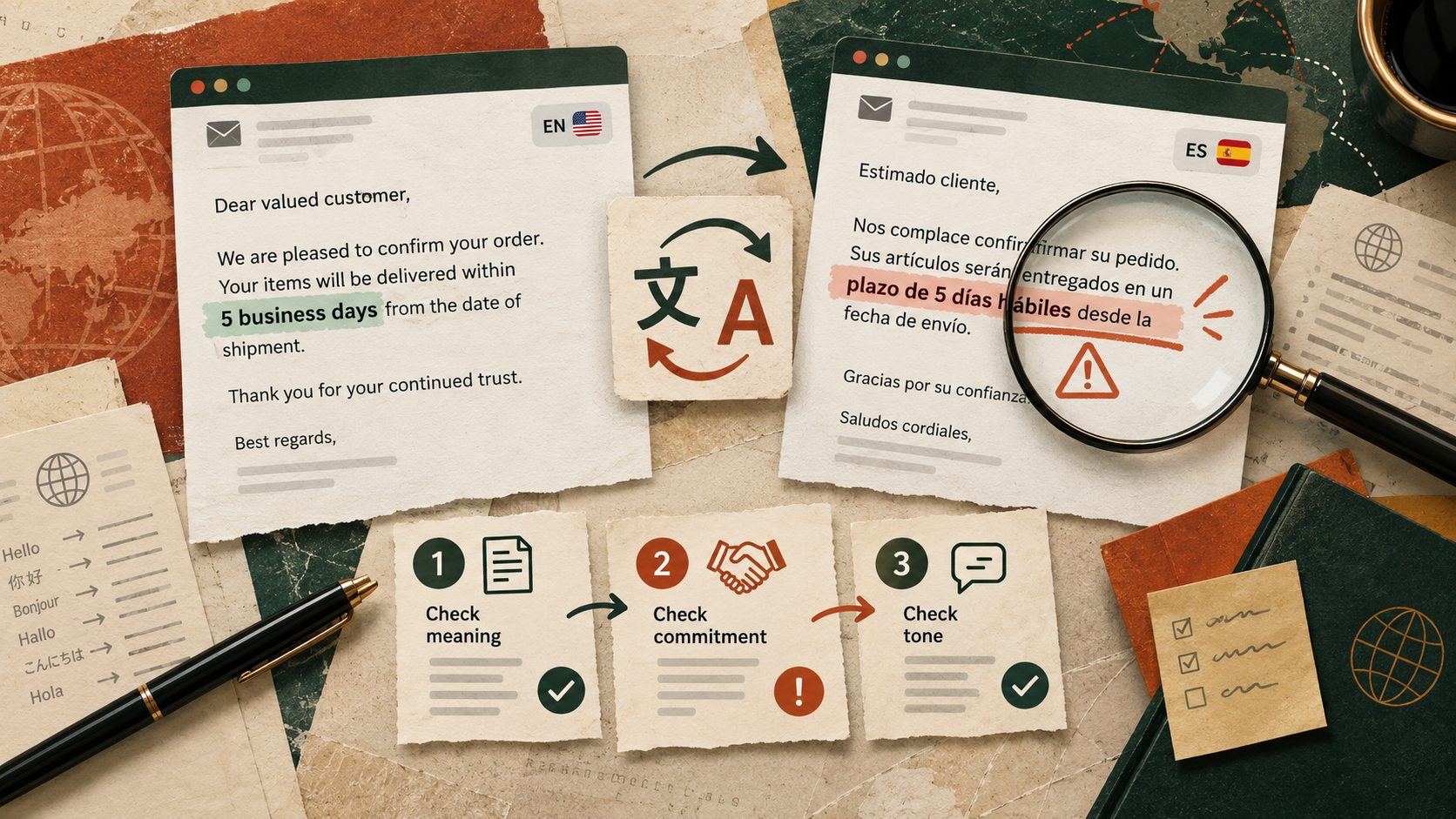
A translated client email can be beautifully written and still get the most important detail wrong. One small change from may to will, from after approval to already approved, or from next week to this week can turn an ordinary update into a promise your team did not make.
Translation assistants can produce a useful first draft, but fluency is not the same as accuracy. The practical goal is to protect the decision, timing and intent of the original message before anyone presses Send.
Start with the parts you cannot afford to change
Imagine a travel company writes to a customer that a refund may be issued after the airline confirms the cancellation. A translation that says the refund will be issued now sounds reassuring, but it changes both the condition and the certainty.
Common risk points include deadlines, prices, approvals, eligibility, negation, product names, job titles and polite expressions that carry different expectations in different cultures. You do not need to check every adjective with equal effort. Prioritise these decision-changing details.
Use three passes instead of one approving glance
The three-pass translation check
- Meaning Compare who does what, whether a promise is conditional and whether negative statements are preserved.
- Facts Confirm names, dates, amounts, percentages, links, order references and product details against the original source.
- Tone Check whether the translated message is appropriate for the customer and consistent with your approved brand terminology.
If you regularly translate the same product names or service terms, keep a small approved glossary. DeepL documents glossary features for specifying preferred translations and guidance for reviewing translated files. That is useful for consistency, but a glossary does not remove the need for a human check on consequential messages.
A good translation preserves the commitment, not just the sentence.
Try this now on a fictional customer response
Use a made-up example so no confidential customer information enters an unapproved service.
Copy-paste prompt for translation review
Act as a bilingual quality reviewer. Translate the fictional message below into [target language]. Do not change the certainty, approval requirement, amount, date or recipient’s responsibilities. Preserve names and product terms exactly unless an approved glossary says otherwise.
Original message – We may offer a refund of ₹2,500 after the supplier confirms the cancellation. We will send an update by Tuesday. Please do not book a replacement until we confirm.
Provide the translated version, then a separate quality table identifying conditions, amounts, dates, negations and terms that require review. Explain any phrasing you were uncertain about. Do not invent supplier approval.
Verify The refund remains conditional, ₹2,500 is unchanged, Tuesday is a promise to update rather than pay, and the instruction not to book a replacement survives. Ask a qualified speaker to review before sending if the message has legal, financial or other significant consequences.
Keep a small glossary that a person can approve
For recurring messages, make two columns with your approved source phrase and translated phrase. Start with five terms such as cancellation confirmation, non-refundable, credit note, estimated arrival and additional charges. Have a native or qualified reviewer approve those terms for each target market.
If a translation tool supports a glossary, add the approved terms there. DeepL explains how glossary entries map a source term to its preferred translation and offers tools for review and quality evaluation on supported plans. If your tool has no glossary feature, paste the term list into the permitted workflow and check each term manually.
Do not use reverse translation as the final sign-off
Translating the text back into the original language can reveal obvious drift, but a plausible reverse translation can miss an important change or hide an awkward phrase. Compare against the original requirements, not only the output of a second AI pass. Google provides a feedback process for questionable translations, another reminder that translations can need correction.
For legal terms, health information, safety instructions, regulated disclosures and binding financial commitments, use the organisation’s approved translation and review process. An AI first draft is not a substitute for specialist sign-off.
One useful habit before the next client email
Highlight every word in the original message that changes a promise or obligation. Review those highlighted items in the translation first, then check the tone. This takes little time on a short message and is far more meaningful than approving a translation merely because it reads smoothly.
Sources
DeepL Help Center – About the glossary
DeepL Help Center – Quality evaluation for file translations
Google Translate Help – Submit translation feedback