HomeAI HacksFeature

ChatGPT is now inside Microsoft Word. Here is where it actually saves time

ChatGPT now works inside Microsoft Word. The useful part is not asking it to write everything, but using it to organize notes, shorten drafts, review documents and remove the slower work around writing.

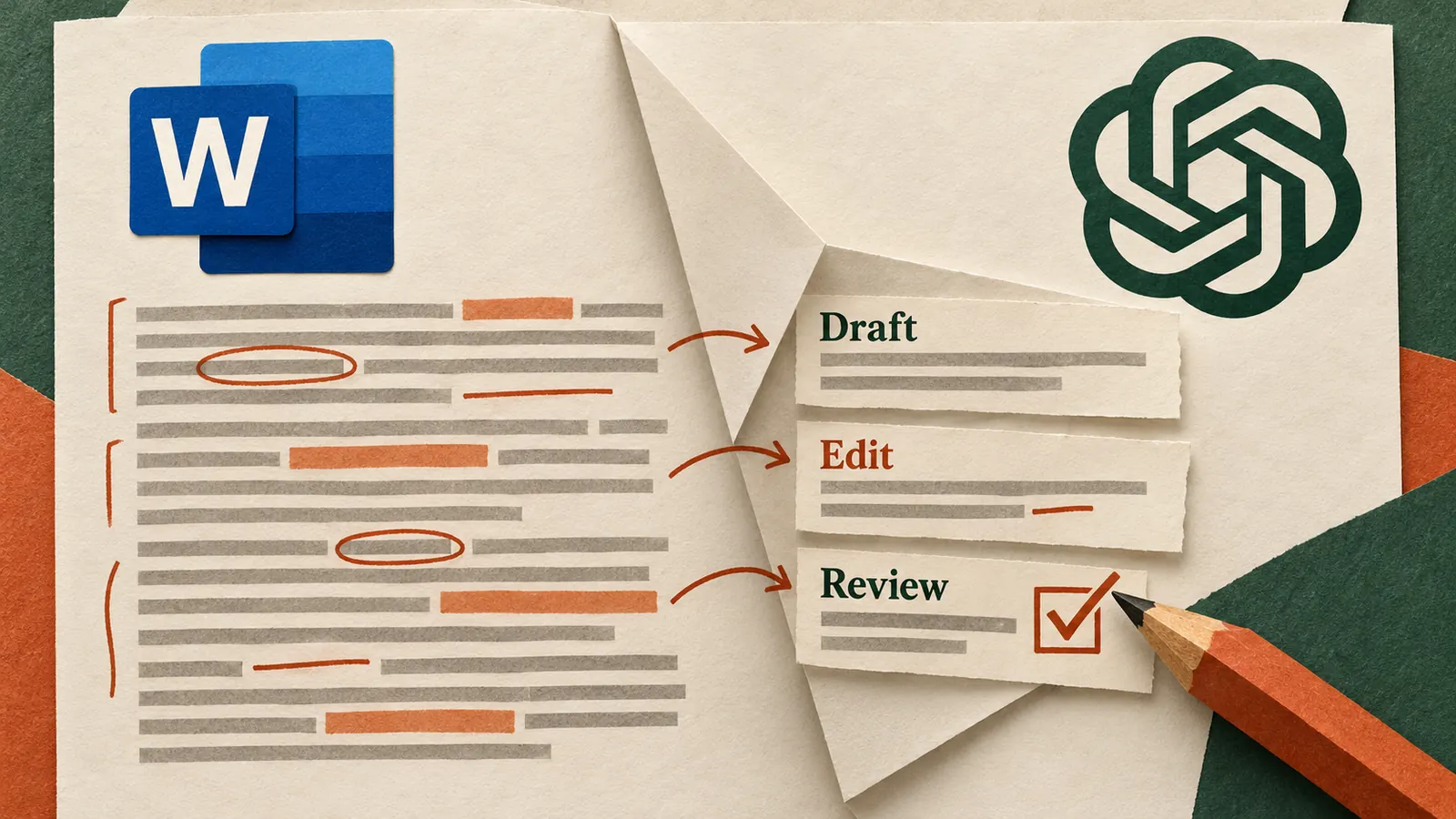
Microsoft Word document open beside ChatGPT tools for drafting, editing, summarizing and document review

Microsoft Word is one of those tools that most people already know well enough to stop thinking about it. You open a document, type, edit, comment, format, send it around and move on. That familiarity is exactly why the arrival of ChatGPT inside Word matters more than another standalone AI feature. OpenAI has added ChatGPT to Word through the Microsoft add-in, which means the AI can now sit beside the document you are already working on instead of asking you to copy material into a separate chat window. OpenAI release notes

The feature is available on all ChatGPT plans, including Free. OpenAI says you can use the Word sidebar to draft from notes, summarize documents, revise selected text, reorganize sections, adjust headings and formatting, and check a draft for unclear language or inconsistent terminology. The useful part is not that Word can suddenly write for you. It is that several small pieces of document work can now happen without leaving the document. OpenAI ChatGPT for Word guide

The best use of ChatGPT in Word is not asking it to write the whole document. It is using it to remove the parts of document work that slow you down before the real judgement begins.

Start with the work that normally happens before writing

Most documents do not begin with a clean idea and end with a polished page. A proposal may begin with meeting notes, old emails, rough numbers and a half finished outline. A report may have the facts but not the structure. A memo may be technically complete but much too long for the person who needs to read it.

This is where the Word integration becomes practical. OpenAI says ChatGPT can turn notes and source text into a first draft, which means you can keep the material close to where the final document will live. Instead of opening a separate AI chat, moving text back and forth, then checking whether something was lost in the transfer, you can work against the document itself.

For example, if you have rough notes from a client call, the useful request is not simply to write a proposal. Ask ChatGPT to organize the notes into what was agreed, what still needs confirmation, what the client appears to care about most and what should become the structure of the proposal. Once that structure makes sense, drafting becomes much easier because the thinking has already been cleaned up.

Use it to shorten, not just generate

People often associate AI writing with creating more words, but one of the more useful workplace applications is reducing them. OpenAI specifically supports revising selected text for a different audience, which makes Word useful when the same information needs to work in several contexts.

A long internal explanation can become a short executive summary. A technical section can be rewritten for a client who does not need the implementation detail. A page of meeting notes can become three decisions and five actions. A repetitive introduction can be tightened without changing the rest of the document.

The practical advantage is that you can select only the section that needs work and tell ChatGPT what must stay unchanged. That is safer than asking for a complete rewrite when the problem is limited to one paragraph.

Shorten this section for a senior management audience. Keep the numbers, recommendation and risks exactly as they are, but remove repetition and unnecessary background.

That type of instruction gives the AI a narrow job. You keep the responsibility for the message while the tool handles the editing effort.

Word can now act as a first reviewer

The most interesting use may not be drafting at all. ChatGPT can check a document for unclear language and inconsistent terminology, which turns it into a useful first review before a colleague, client or manager sees the work.

If a proposal uses three different terms for the same service, AI can flag the inconsistency. If a report makes a recommendation before the evidence is clear, you can ask it to point out where the reasoning feels incomplete. If a memo contains a paragraph that assumes knowledge the reader may not have, it can identify the gap before the document is circulated.

Try asking it to read from a specific perspective rather than asking whether the document is good. A question such as what would a finance head ask before approving this proposal gives the review a purpose. The AI does not need to make the decision for you. It needs to help you see the document from the position of the person who will make the decision.

Formatting help is useful, but keep expectations realistic

OpenAI says the Word add-in can help adjust headings, numbering and formatting, but it also lists complex formatting, tables and charts as areas that may still need manual adjustment. That is an important limitation because Word documents often contain more than text.

If the document has a carefully designed table, financial model, chart or complex template, do not assume the AI will preserve every visual detail perfectly. The better approach is to use it for the structural and language work, then review the formatting yourself before the file leaves your desk.

OpenAI also recommends saving a copy before making substantial changes and checking important facts, figures, citations and edits. That is basic advice, but it matters more when the AI is working directly inside the document because changes can feel more natural and therefore easier to trust without checking. OpenAI ChatGPT for Word guide

A practical workflow to try today

Take a document you already need to finish rather than creating a special AI experiment. It could be a proposal, report, briefing note, client memo or internal update.

Begin by asking ChatGPT to explain what the document appears to be trying to achieve and where the current draft is unclear. Then select the weakest section and ask for two or three alternative structures rather than an immediate rewrite. Once you choose the direction, ask it to revise only that section. Finally, ask it to review the complete document for contradictions, repeated points and terminology that changes from one section to another.

This sequence keeps the human decisions visible. You decide what the document is for, which structure is right and what should survive the edit. ChatGPT handles the slower work of organizing, comparing and revising.

There is also an important practical limitation. ChatGPT for Word can work with the document you have open, but OpenAI says it cannot automatically reference other local files on your computer. If the draft depends on information from another file, you still need to paste the relevant material into the prompt or use a supported connected app where available. Conversations in the Word add-in are also separate from your normal ChatGPT conversation history, and ChatGPT memory does not carry over into the add-in. OpenAI ChatGPT for Word guide

How to get started

OpenAI says the add-in can be installed from Microsoft Marketplace. Once installed, open Word, launch ChatGPT from the ribbon and sign in with your ChatGPT account. In managed company environments, the Microsoft 365 administrator may need to allow the add-in and the ChatGPT workspace administrator may also control whether it is available.

The feature is available across ChatGPT plans, but usage still follows the limits of the plan you are using. That means it is worth treating the integration as another way to use ChatGPT rather than as an unlimited separate service.

What this changes for everyday work

The important shift is not that Word suddenly becomes an AI product. It is that the distance between thinking about a document and improving the document becomes smaller.

For someone who writes reports every week, that may mean less time reorganizing rough notes. For a manager, it may mean getting from a long update to a useful summary without rewriting it manually. For a consultant, it may mean checking a proposal from the client perspective before sending it. For a job seeker, it may mean adapting the same base material for a different audience without starting again.

The feature becomes useful when it reduces the amount of work that exists around the writing, not when it replaces the person responsible for the document. That is a much more modest claim than saying AI will write everything for us, but it is also much closer to the way most people actually work.

Quick answers

Is ChatGPT for Word available on the Free plan?
Yes. OpenAI says ChatGPT for Word is available on all ChatGPT plans, including Free, although normal plan and usage limits still apply.

Can ChatGPT edit only part of a Word document?
Yes. You can select text and ask ChatGPT to revise that specific section while describing what should remain unchanged.

Can it use other files from my computer automatically?
No. OpenAI says the Word add-in can work with the document that is open, but it cannot automatically reference other local files on your computer.

Sources

OpenAI, ChatGPT release notes, September 17, 2026
OpenAI, ChatGPT for Word

Related

Keep reading.

The Insider Brief

AI that earns its place in your inbox..

The tools worth trying, a prompt you can steal, and the news that affects your work. No hype, no jargon.

No spam. Unsubscribe in one click.