You probably do not need another list of AI tools. You need a rule for deciding what can safely go into the ones you already use.
That matters because AI use at work is increasingly happening before company policy catches up. Reuters reported today that employers are dealing with widespread employee use of generative AI, including personal accounts and unapproved tools. The practical problem is not whether people will use AI. It is whether useful work can be separated from data that should never have been pasted into a chatbot in the first place.
Use this 60-second check before you paste anything into AI
Run the material through four questions. If you cannot answer one of them confidently, stop and remove the sensitive parts before continuing.
1. Is this information already public?
Public product pages, published reports, your own generic notes and information you could safely send to an external freelancer are usually lower-risk starting points. Internal pricing, customer records, unreleased plans, employee information and confidential contracts are different.
Quick rule if seeing the text in a public search result would create a problem, do not treat it as ordinary prompt material.
2. Does the AI actually need the identifying details?
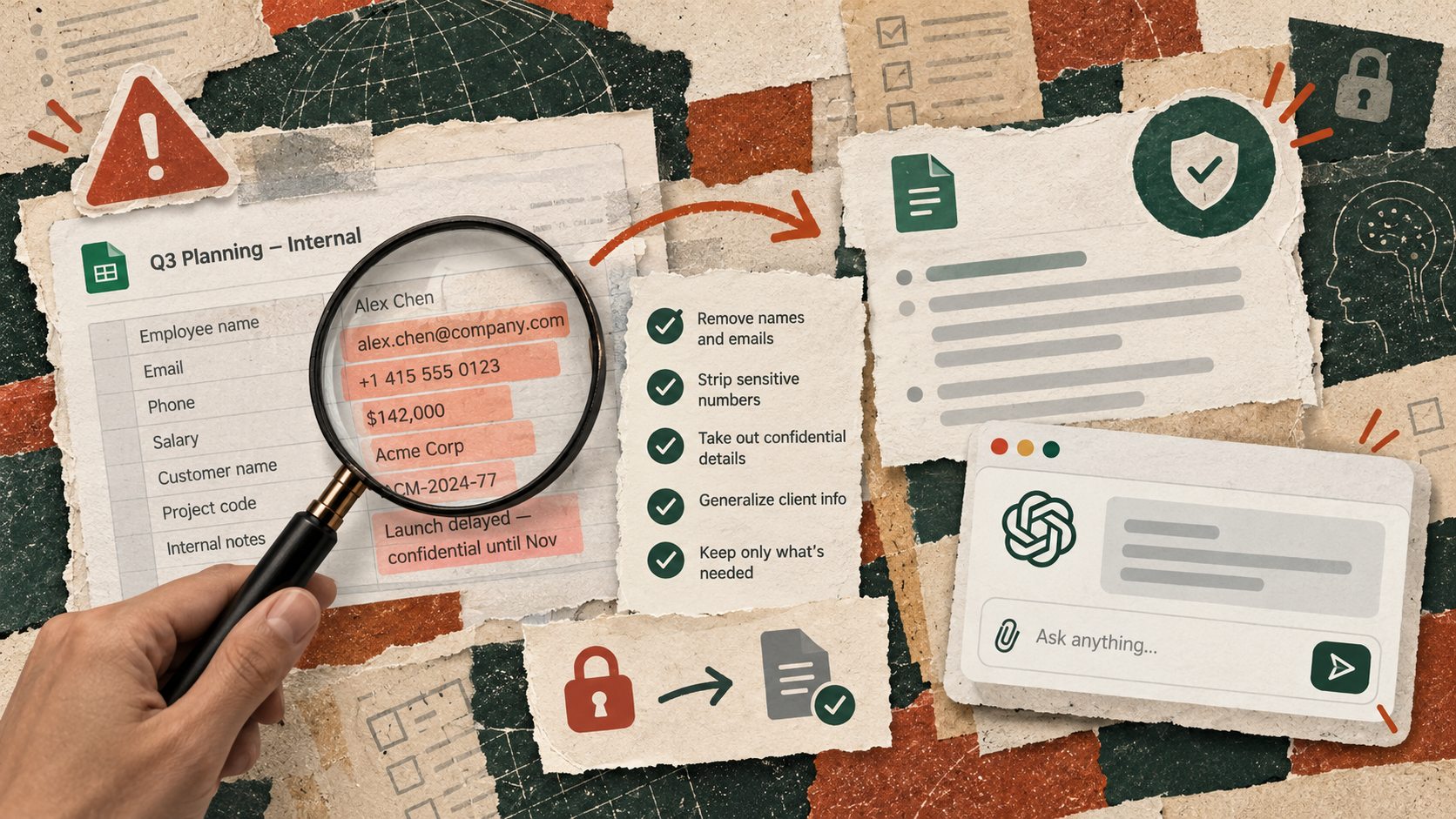
Most everyday tasks do not. If you want AI to improve an email, it usually does not need the customer’s full name, phone number, account number or contract value. If you want a spreadsheet formula fixed, it probably does not need the real employee names in the rows.
Replace identifiers with neutral labels such as Client A, Product B or Employee 1. Keep the structure that matters to the task and remove the identity that does not.
3. Are you using a company-approved account and tool?
A personal AI account can have different controls from an enterprise account supplied by your employer. Before moving work material into any AI service, check which tools your organization has approved and what its policy says about confidential or regulated information.
This is also why a blanket “never use AI” rule is not very useful. A better system distinguishes a low-risk task such as rewriting public copy from a high-risk task such as analysing identifiable customer complaints.
4. Who checks the output before it affects someone else?
AI can help prepare a recommendation. It should not quietly become the final decision-maker for hiring, disciplinary action, legal interpretation, financial approval or other high-impact decisions.
For ordinary work, define the checkpoint before you start AI drafts, you verify; AI groups the data, you check the categories; AI proposes the response, the account owner approves it.
Three easy examples you can use today
Example 1 Draft a customer reply without sharing customer data
Do not paste the customer’s full email, phone number, account number and order history just to improve a reply.
Instead reduce it to the problem itself. For example “A customer was charged twice for the same order and wants a refund. Draft a calm reply that acknowledges the issue, explains that we are checking the duplicate charge and does not promise a refund until the transaction is verified.”
You still get a useful draft, but the AI never needed to know who the customer was.
Example 2 Fix a spreadsheet without uploading the real spreadsheet
If a formula is failing, create five dummy rows with labels such as Employee 1, Employee 2 and Employee 3. Keep the same columns and formula structure, then ask “This formula should calculate the difference between planned and actual hours. Why is it returning an error, and what formula should I use instead?”
Once the formula works on the sample, apply it to the real file yourself.
Example 3 Summarise meeting notes with names removed
Change people’s names to roles before pasting the notes Client, Project Lead, Finance and Design. Then ask “Turn these notes into decisions, open questions, owners and next actions. Do not add anything that is not in the notes.”
Before sending the summary, compare it with the original notes and put the real names back yourself.
Try this before your next prompt
Take whatever you were about to paste into AI and make a copy. Delete every name, email address, phone number, account number and confidential figure that the task does not actually require. If the prompt still makes sense, use the reduced version.
That one habit is often more useful than trying to memorise a complicated AI policy.
Copy this mini policy into your notes
Before using AI for work
1. Remove confidential and identifying information that is not required
2. Use an approved work account where available
3. Give the model only the minimum context needed for the task
4. Check factual claims against the original source
5. Keep a human approval step before anything consequential is sent, published or acted on
A safer prompt pattern
I need help with the task below. First tell me which information is actually necessary to complete it. Flag anything that appears confidential, personally identifying or unnecessary before doing the task. Do not infer missing sensitive details. After producing the result, list the claims or decisions that still require human verification.
What to do today
Open the last five work prompts you sent to an AI tool. Ignore whether the answers were good. Look only at what you gave it. Could the same task have been completed with less data?
If yes, that is the habit worth fixing first.
The useful AI skill is not learning to paste more context into every prompt. It is learning how much context the job genuinely requires, what must stay out, and where your judgement needs to come back in.
Sources
Reuters, “A framework for governing employees’ existing use of generative AI,” October 7, 2026.