AI meeting notes are useful until a suggestion turns into an assignment. Someone says, “We could try a small pilot on Friday.” The recap says, “Run the pilot on Friday.” A tentative idea has become a commitment without anybody agreeing to own it.
This is easy to miss because the rest of the recap may be accurate. The fix is not to stop using AI notes. It is to separate decisions, suggestions and open questions before turning any line into a task.
The small difference that creates real extra work
AI note-takers can identify action items and decisions. Google describes those capabilities for Gemini in Meet and explicitly recommends reviewing and editing AI-generated notes for accuracy. Microsoft similarly warns that Copilot meeting recaps can be incorrect. Those are reasons to treat a recap as a first draft, not an official record of commitments.
A useful recap preserves what people agreed, not just what sounded actionable.
The tricky part is often the language. “Let’s explore,” “could we,” and “worth considering” are proposals. “We agreed to,” “I will send,” and “approved” may indicate a decision, but only when the surrounding conversation supports it. Silence after a suggestion is not approval.
See the mistake in a normal team meeting
Imagine a twenty-minute onboarding review. The team discusses whether a new customer checklist would reduce follow-up emails. Maya agrees to send a revised checklist by Thursday. A colleague asks whether a Friday pilot might be possible. Nobody confirms a pilot owner, start date or approval.
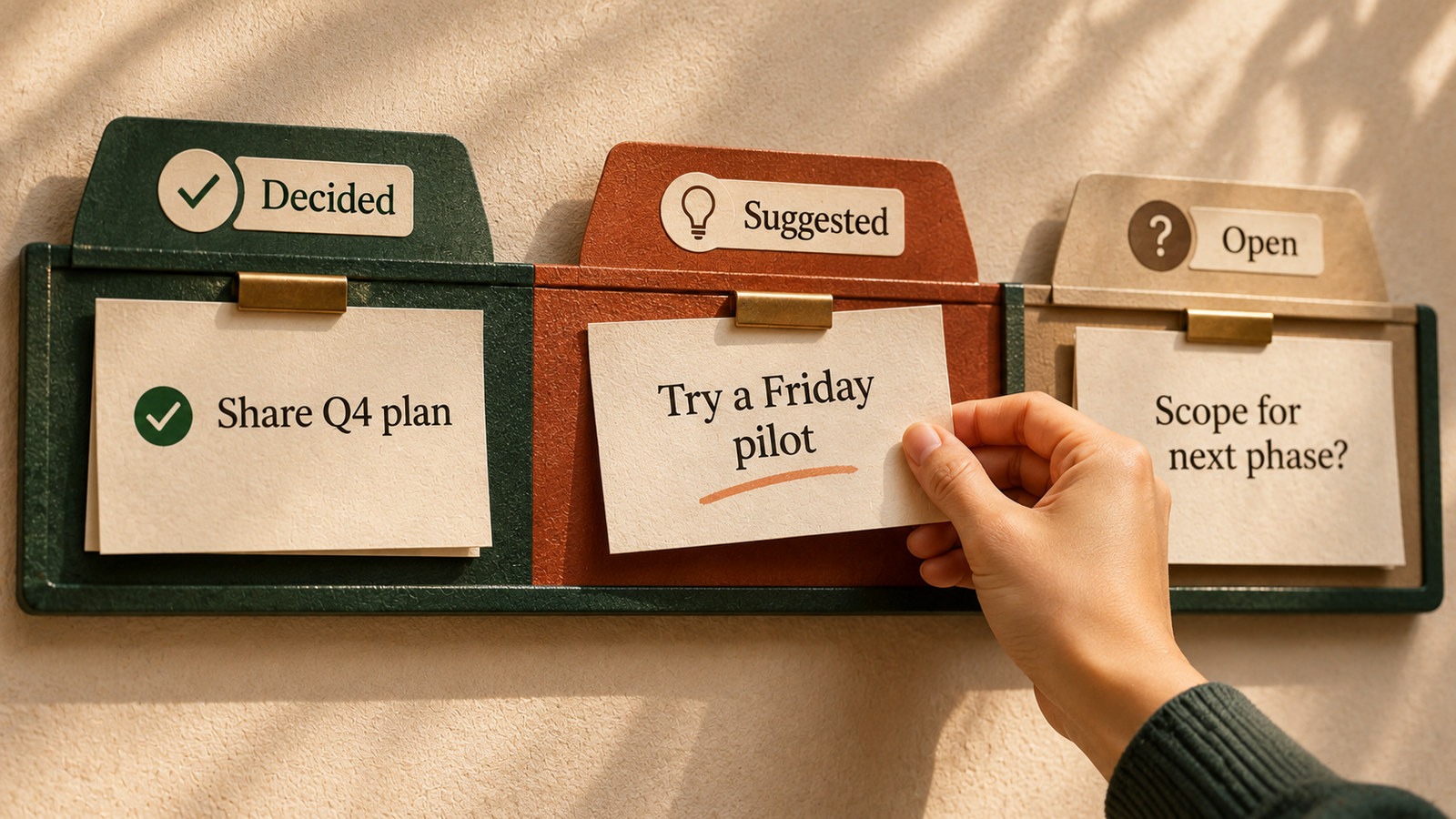
The AI recap returns three lines. Maya will send the revised checklist by Thursday. The team will launch a Friday pilot. Finance will review the rollout cost. Only the first is a confirmed assignment. The second is a suggestion. The third is an open question unless Finance actually accepted it.
If that recap is copied into a project tracker without review, two people may receive work they never agreed to do. The problem is not simply a wrong summary. It is an incorrect transfer of responsibility.
The three-label meeting check
- Decided An explicit choice or accepted action. Record the named owner, deadline and supporting line.
- Suggested A proposal or possibility. Keep it as an idea until someone approves it.
- Open A question, dependency or unresolved condition. Name who will clarify it, not who has already committed.
If you cannot find evidence of agreement, use Suggested or Open rather than guessing.
Run the check in seven minutes
First, take the recap and any permitted source notes or transcript. Remove personal or confidential details before using an AI tool unless your organisation has approved that data flow. If a recording or transcript is not available, mark the evidence as limited rather than pretending you checked the exact words.
Next, ask AI to extract every sentence that sounds like a decision, task, deadline or approval. Put each into one of the three labels. For each Decided item, require a source quote or timestamp, an owner and a due date only if one was actually stated. Do not let the assistant invent missing names or dates.
Then compare the high-impact lines with the source. Start with anything that could trigger a customer promise, spend money, change a deadline or assign another person work. If a line remains uncertain, send a short confirmation message to the people involved before it enters the tracker.
Copy this prompt into your approved AI tool
Review the meeting recap and any source notes I provide. Extract every apparent decision, commitment, suggestion and unresolved question.
Classify each line as Decided, Suggested or Open. For Decided items, include the exact supporting words or a timestamp, the owner only if explicitly accepted, and the due date only if stated. For Suggested items, identify the approval needed. For Open items, write the question that needs answering.
Do not turn possibilities into commitments. Do not infer agreement from silence. Do not invent names, deadlines, approvals or transcript evidence. Mark anything unsupported as Needs confirmation.
Finish with a short message I can send to attendees to confirm the uncertain items before adding tasks to our tracker.
What the finished result should look like
For the onboarding example, the checked output is short. Decided says Maya will send a revised checklist by Thursday, assuming that wording is supported by the notes. Suggested says the team could test the checklist in a Friday pilot, with approval still needed. Open asks who can approve a pilot and whether Finance needs to review the cost.
The follow-up message might say, “I have Maya’s Thursday draft as agreed. The Friday pilot sounded like a proposal rather than a decision. Can we confirm whether we want to run it, who would own it and whether Finance approval is required?” That is more useful than an impressive-looking task list with invented certainty.
Atlassian’s guidance on action items stresses a clear owner, a defined action and a deadline. Those details help a confirmed task move forward. They should not be manufactured to make an unresolved idea look complete.
Five checks before sharing the recap
- Does each confirmed decision have evidence in the notes or transcript?
- Are tentative phrases still labelled as suggestions?
- Did the named owner actually accept the action?
- Is the due date stated rather than assumed?
- Were unresolved items sent for confirmation before tracker updates or customer communication?
Keep the original recap and the corrected version together so later changes can be traced.
Keep the human confirmation step small
You do not need a new meeting to verify every line. For routine work, a two-minute written confirmation is often enough. Ask about only the ambiguous items, then update the shared record once someone replies. For contractual, financial, legal or sensitive commitments, follow your organisation’s formal approval process.
Try this on the next meeting that produces an AI recap. Measure how many suggested or open items were initially written as commitments. The value of the exercise is fewer false assignments and a clearer record of what the team actually decided.
Sources
Microsoft Support. Recap a Teams meeting
Google Workspace. AI note-taking and Take notes for me
Atlassian. How to track meeting action items