It is Friday afternoon and a colleague will take over your project on Monday. You have a message thread, a half-finished task list and a few notes about what the client expects. Sending all three is easy. Making them usable by someone who was not in every conversation is the harder part.
A handover should let the next person answer four questions quickly. What is happening, what matters next, who owns each decision and what could go wrong? You can use a free AI chat to draft that handover from notes you are allowed to share. The important work is checking the draft, not trusting it blindly.
Why a summary is not a handover
A summary can describe what happened without saying what happens next. A handover needs the current state, decisions already made, pending approvals, owners, deadlines and links to the source of truth. Asana’s handoff guidance emphasises goals, key contacts, risks and next steps. Atlassian’s project closure checklist likewise asks teams to confirm ownership, access and remaining work before handing over.
The next person should not have to reconstruct your decisions from the message history.
Start with five pieces of information
The handover essentials
- Outcome The result the work is meant to produce and what would count as done.
- Current state What is complete, underway and not started.
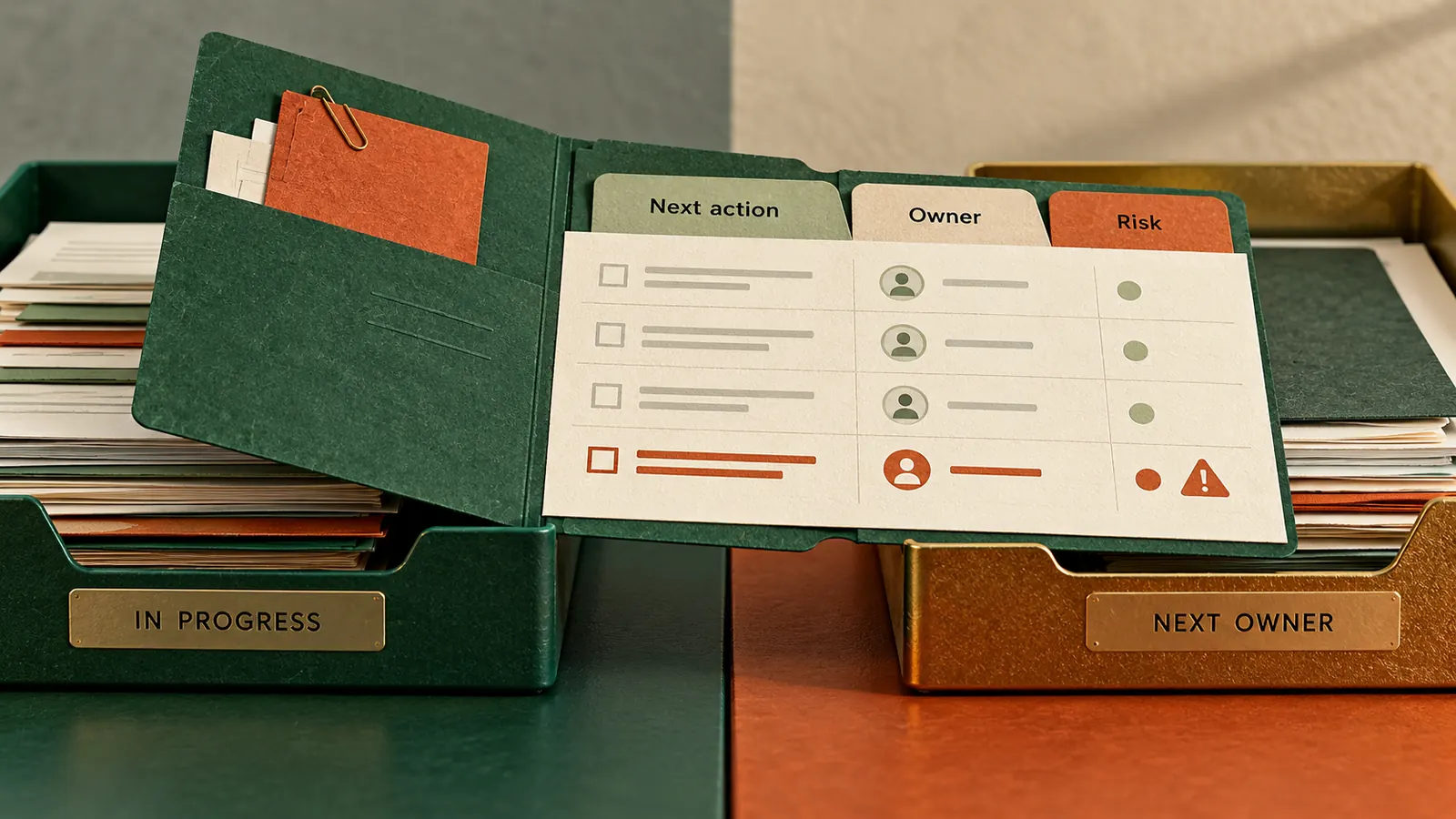
- Next actions Specific tasks with named owners and confirmed dates.
- Decisions and risks What was agreed, what is still open and what could block progress.
- Evidence and access Where the latest files, approvals and relevant people can be found.
If a fact is missing, leave it marked for confirmation. Never ask AI to infer an approval, assign an owner from context or invent a delivery date.
See it with an everyday example
Imagine a marketing coordinator handing over a small event campaign. The registration page is live, the email invitation has been approved and the venue has asked for the final attendee count by Thursday. The coordinator has not yet received the speaker’s presentation.
A weak summary says the event is progressing and the venue needs numbers. A usable handover says the registration page is live, links to the approved invitation, names the person responsible for the Thursday attendee count and marks the missing speaker deck as an open dependency. If the owner of that deck is unknown, it says owner needs confirmation.
This difference matters outside marketing too. The same structure works for a customer onboarding handoff, an operations shift, a website launch or a colleague covering your work during leave.
Try this now with one free prompt
Choose one low-risk task and collect only the notes you have permission to use. Remove personal data, passwords, private customer details and anything your employer does not allow in an external AI service. Then use the following prompt in a text-based AI chat.
Copy-paste handover prompt
I need a one-page handover for [project or recurring task]. The next person is [role] and already knows [background they can assume].
Use only the notes I provide. Create sections for the desired outcome, current status, confirmed decisions, next actions, owners, deadlines, dependencies, risks and links to evidence.
For every action, include the owner and due date only if explicitly stated. Otherwise write Needs confirmation. Keep completed work separate from planned work. Quote important commitments exactly where possible. If two notes conflict, flag the conflict instead of choosing one. Do not invent facts or claim that any task is approved.
Finish with five questions the receiving person should ask before taking ownership. Then produce a short handover message I can send with the document.
Here are my non-sensitive notes – [paste notes with dates and source labels].
Verify before sending Compare the output with the original notes and latest project tracker. Confirm owners, dates, links and approvals with the people responsible.
Do a ten-minute handover test
A quick quality check
- Read the first paragraph as if you had never seen the project. Can you identify the outcome and current state?
- Look at each next action. Is there a confirmed owner, date and a way to verify completion?
- Open every linked document. Does it point to the current version and is access appropriate?
- Circle every unknown, disagreement or pending approval. Ask a person rather than allowing AI to guess.
- Ask the receiving colleague to explain the next two actions in their own words. Correct anything they cannot confidently locate.
Atlassian’s roles and responsibilities exercise makes a useful additional check. If an action has no accepted owner, it is not ready to disappear into the handover. Name someone to resolve ownership and set a follow-up date.
Keep it useful after the first day
Save the handover in a shared location your team already uses, not in a private chat history. Add a last-updated date and link to the live task tracker. Treat the document as a starting point for a conversation, not proof that the other person has accepted responsibility.
Do not put credentials in the document. Record which system access is needed and how the new owner should request it. For legal, financial or regulated work, follow your organisation’s formal handover and approval process.
There is one practical way to measure whether this helped. Ask the receiving person to complete the next real task without asking you where the latest file, approval or owner can be found. If they cannot, fix the handover before calling it done.
Sources
Asana – Post-sales handoff template and essential context
Atlassian – Project closure and handoff checklist
Atlassian – Roles and responsibilities exercise