When you use an AI assistant at work, the output may feel like a private conversation between you and a tool. That assumption deserves another look when your employer uses an enterprise account.
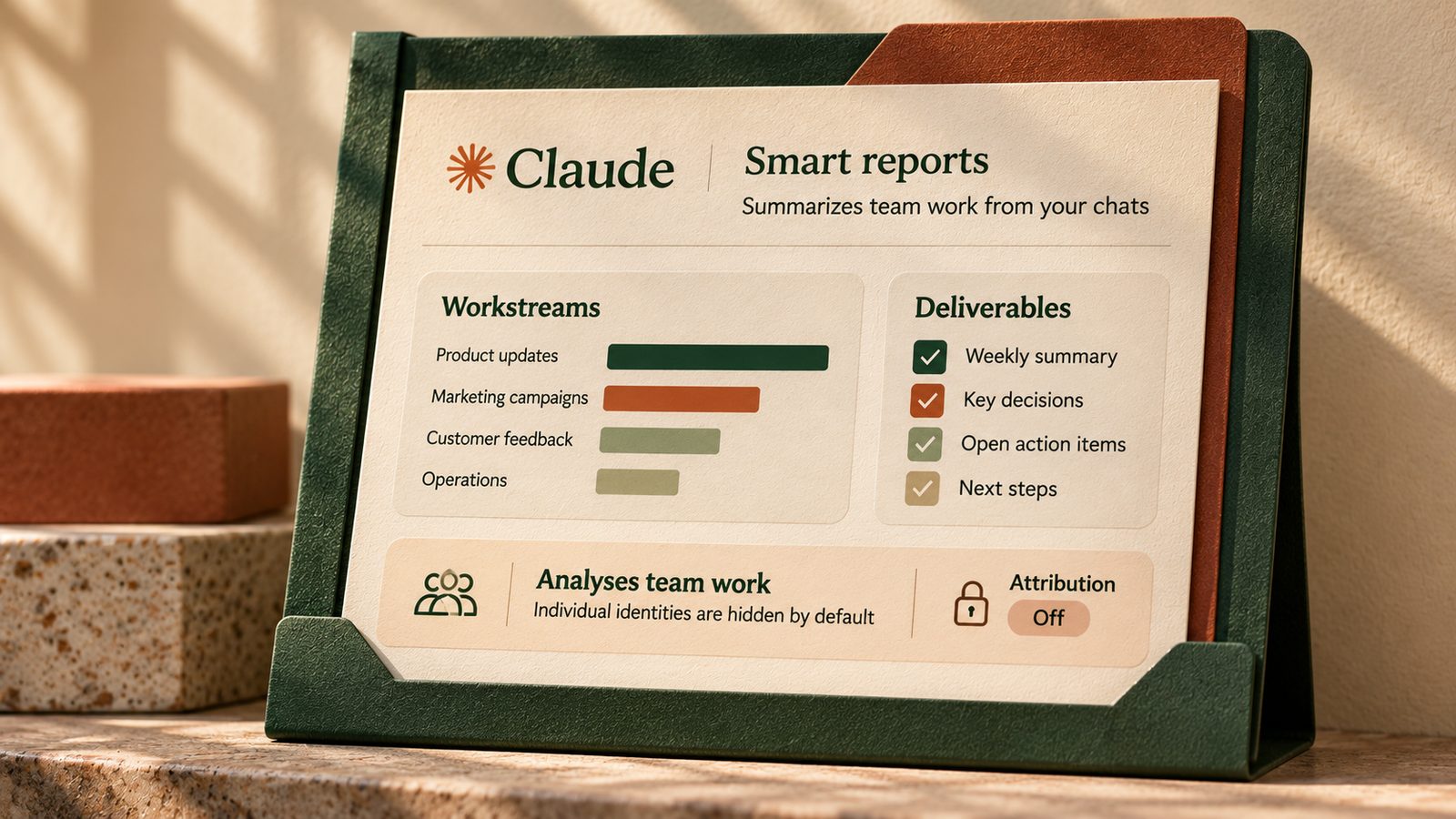
On October 28, 2026, Anthropic said smart reports, in-app surveys and pooled group budgets were generally available for Claude Enterprise. Smart reports are the part worth understanding first. They analyze a sample of team conversations to show the work people are doing, the outputs they produce, what it costs and where they run into trouble. They are not a feature for personal Claude Free or Pro accounts.
For employees, the useful question is not whether a manager receives a copy of every conversation. It is which sessions can appear in a report, who can drill into them and what privacy controls the organization has enabled.
Anonymous by default does not mean every conversation is invisible to an administrator.
What Claude smart reports actually show
According to Anthropic, an authorized administrator selects a team, a date range of up to the previous 28 days and the Claude products to include. Claude analyzes a sample of sessions, then groups the results by workstream and deliverable type. A report can show spend, repeated work patterns, common blockers and individual session summaries when permitted.
The report is not a complete transcript export or a guarantee that every session was analyzed. But authorized viewers can drill into some session-level details. An employee should not confuse sampling with a promise of total privacy.
Four settings worth understanding
- Report access identifies the owners, admins and delegated team leads who may view reports.
- Team scope controls which group or department is included rather than assuming every report covers the entire company.
- Individual attribution is off by default. When enabled, authorized viewers can deliberately reveal member names and session IDs, and those reveals are logged.
- Restricted topics are analyzed only in aggregate without session summaries when Claude identifies them as restricted.
The fourth setting is a built-in guardrail rather than an optional switch. Anthropic lists personal life, health, protected characteristics, union activity and several sensitive workplace topics among its restricted categories. That classification is still an automated safeguard. It is not a reason to place confidential personal or company information into an unapproved tool.
Why this matters for an ordinary workday
Imagine a marketing coordinator using an employer-provided Claude account. On Monday they draft campaign copy, on Tuesday they troubleshoot a broken data connector and on Wednesday they ask for help organizing a difficult client handover. A smart report might group these sessions as content production, tool friction and operational documentation. It may suggest a shared skill for repeated campaign briefs.
That could help a team identify useful workflows. But a workstream label does not establish whether the output was correct, approved or valuable. A failed connector can reflect an IT configuration issue rather than poor employee performance. Anthropic explicitly says smart reports are intended for adoption and investment planning, not individual performance evaluation or employment decisions.
Consider a second example. A team lead wants to know why account briefs take longer than expected. Rather than inspecting individual names, they could use the report’s friction categories to identify repeated missing sources or permission requests. The next step would be to fix the shared process and ask staff whether it helped, not rank people by the number of chats they used.
What employees can check without admin access
A five-minute conversation with IT
- Confirm whether your organization uses Claude Enterprise and has enabled smart reports.
- Ask which teams and products are in scope and who can access session-level summaries.
- Ask whether individual attribution is enabled and who can reveal names.
- Request the approved policy for client data, confidential documents and personal conversations.
- Ask how to correct a misleading summary or raise a privacy concern.
If your organization has not enabled the feature, do not assume these reports exist. The toggle is off by default, and availability varies by deployment. Claude Enterprise organizations using customer-managed encryption keys, certain HIPAA configurations or hybrid deployments cannot use smart reports under the current guidance. Organizations using zero data retention for Claude Code have additional coverage limits.
What managers should test before using the reports
Managers and administrators can start with one narrow team and a consistent time window. Avoid comparing two departments with different workflows and treating the raw number of sessions as productivity. Sample sizes, source coverage and product access can differ. Reported costs are at list price, which may not match the organization’s negotiated bill.
A safe pilot for a team lead
- Choose one team and a recent period with enough activity to be meaningful.
- Leave individual attribution off unless there is a documented and justified need.
- Review the workstream and friction summaries before opening session drilldowns.
- Pick one recurring blocker, such as a missing connector, and verify it with the team.
- Fix the blocker, then ask workers whether the change reduced rework.
- Record the scope and limitations before sharing findings with leadership.
Only owners or primary owners can enable the feature. Owners, admins and appropriately permissioned roles can create reports. Organizations can delegate access to team leads for specific groups without giving them whole-organization reporting rights. That is a better starting point than distributing broad analytics permissions.
A reusable prompt for interpreting a report responsibly
Copy this review prompt
You are reviewing an AI usage report for workflow improvement, not employee evaluation. Use only the aggregate findings I provide. Identify the three most common recurring workstreams, two friction points that a process or tool change could address and one possible shared template or skill. For every recommendation, separate what the report directly shows from what still needs confirmation with staff. Do not infer an individual’s performance, intent or personal circumstances. Finish with five questions to validate the findings before taking action.
[Paste only approved aggregate report findings without personal or confidential session details]
Check the resulting recommendations against the report and ask the affected team whether the interpretation fits their actual work. A pattern in sampled AI sessions can be a useful lead, but it is not a complete view of what someone accomplished.
Three checks before sharing any finding
- Scope confirms the team, date range, products and sampling limitations.
- Privacy confirms the audience is authorized and unnecessary personal details have not been included.
- Evidence confirms a proposed process change with real workflow observations rather than treating an AI summary as the final verdict.
Claude smart reports may help organizations spend less time guessing where AI is useful. The more practical opportunity is to fix repeated friction, teach repeatable workflows and make reporting boundaries clear before employees are surprised by them.
Sources
Claude. Smart reports, surveys and pooled group budgets for Claude Enterprise, October 28, 2026
Claude Help Center. Get started with smart reports
Claude Help Center. Delegated smart report access